
Hi!Way01.01.77 - Google Play
You'll be able to see results in few seconds.
Publisher Description
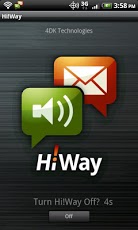
Move over Siri... Hi!Way does what you really need, WHEN you need it most: safe voice-controlled messaging while driving.Hi!Way is a sophisticated speech-to-text / text-to-speech app that lets you listen and reply to texts and emails while you're driving – totally handsfree. WORKS WITH:• Speakerphone; or• Headphones (with mic); or • Most media-supported Bluetooth* devicesFEATURES:• Listen to incoming texts and emails while you’re driving• Reply by voice and have the message returned as a text or email• Say, “Ignoreâ€Â, if you don’t want to hear the incoming message at that moment (it stays in the messaging application so you can see it later)• Say, “Callâ€Â, if you’d prefer to ring back• Option to check your voice reply message for transcription accuracy before Hi!Way sends it• Auto mode (if you select this mode: Hi!Way automatically launches and runs when your driving speed exceeds 5mph, then automatically shuts off when motion is no longer detected. You never need to remember to turn Hi!Way On or Off!)BENEFITS:• 100% handsfree! No more distracted driving, no more traffic citations• Utilizes industry-leading speech-to-text and text-to-speech technology to provide the best possible user experience and app performance• Simple UI, with comprehensive Settings so you can fully customize your Hi!Way experience on the road or off• No need to submit all your contacts to our server: Hi!Way works without themSUPPORT:• Click here to see the list of Android handsets, Bluetooth devices and headphones with which our team has tested Hi!Way: http://hiway.me/support/• Please check here: http://hiway.me/support/#knownissues for device-specific Known Issues and our recommended fixes.*If you find that your Bluetooth does not work with Hi!Way, you can still use the app with headphones or by listening/replying via speakerphone.
About Hi!Way
The company that develops Hi!Way is 4DK Technologies, Inc.. The latest version released by its developer is 01.01.77.
To install Hi!Way on your Android device, just click the green Continue To App button above to start the installation process. The app is listed on our website since 2012-08-09 and was downloaded 0 times. We have already checked if the download link is safe, however for your own protection we recommend that you scan the downloaded app with your antivirus. Your antivirus may detect the Hi!Way as malware as malware if the download link to com.fourdk.scamp is broken.
How to install Hi!Way on your Android device:
- Click on the Continue To App button on our website. This will redirect you to Google Play.
- Once the Hi!Way is shown in the Google Play listing of your Android device, you can start its download and installation. Tap on the Install button located below the search bar and to the right of the app icon.
- A pop-up window with the permissions required by Hi!Way will be shown. Click on Accept to continue the process.
- Hi!Way will be downloaded onto your device, displaying a progress. Once the download completes, the installation will start and you'll get a notification after the installation is finished.
Program Details
System requirements
Download information
Pricing
Version History
version 01.01.77
posted on 2012-08-09
Several fixes and updates
version 01.01.77
posted on 2012-08-09
Disclaimer
Official Google Play Link
We do not host Hi!Way on our servers. We did not scan it for viruses, adware, spyware or other type of malware. This app is hosted by Google and passed their terms and conditions to be listed there. We recommend caution when installing it.
The Google Play link for Hi!Way is provided to you by apps112.com without any warranties, representations or guarantees of any kind, so access it at your own risk.
If you have questions regarding this particular app contact the publisher directly. For questions about the functionalities of apps112.com contact us.
